Load the design PLS-CADD model and the as-built survey side by side, and VoltGrid grades every structure and section: horizontal offset, Δz, Δheight AGL, and span deltas — each classed info / minor / major / critical against thresholds you control, with findings written straight into the Transmission findings layer.
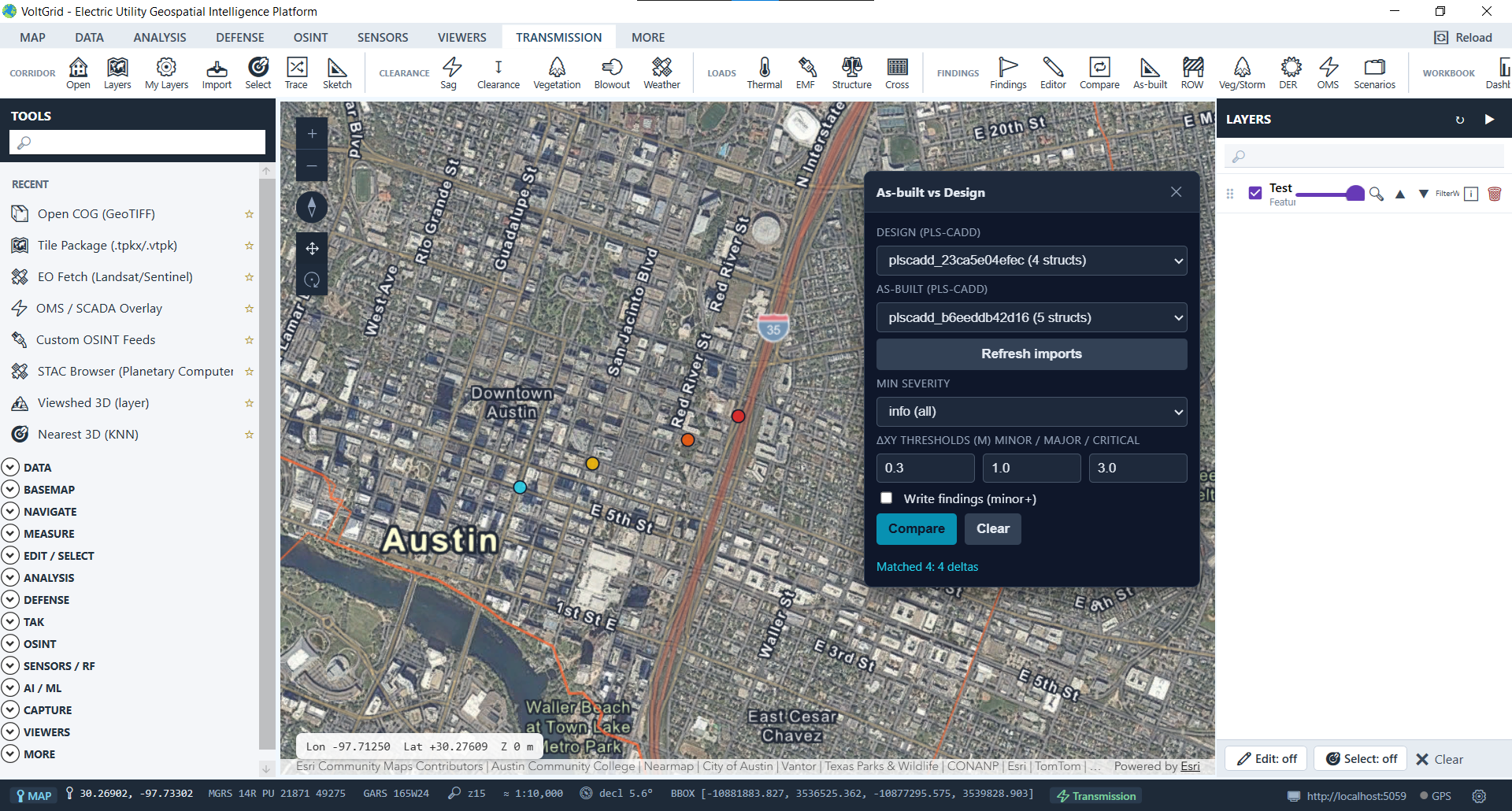
Import both PLS-CADD models (XML, plus KMZ if you have it), open the As-built panel — Ribbon → TRANSMISSION → FINDINGS — pick design and as-built, and compare. Every delta lands on the map at the structure it belongs to.
structure_number — horizontal offset via Haversine from lon/lat (Euclidean x/y fallback), plus Δz and Δheight-above-ground.section_number — Δ horizontal span and Δ vertical span catch re-strung or re-framed spans.category=structural, source_analysis=asbuilt-vs-design) beside vegetation and clearance findings.POST /api/asbuilt/compare
{
"designDbId": "plscadd_design",
"asBuiltDbId": "plscadd_survey",
"minSeverity": "minor",
"writeFindings": true
}
→ T-114 horiz 1.4 m major
→ T-131 Δh_agl 0.6 m major
→ S-22 Δspan 2.3 m major
Grade contractor as-builts against the stamped design in minutes — a ranked punch list instead of a manual pole-by-pole review.
Survey-updated models vs what engineering has on file: find the structures that moved, sank, or grew before they surprise a rating study.
As-built deltas live in the same findings layer as vegetation and NESC clearance hits — filter, export, and work them in one queue.
Honest boundary: matching requires shared structure / section numbers across both imports. Nearest-neighbor matching against an arbitrary survey layer and conductor-centerline (Hausdorff) comparison are on the roadmap — not shipped.
